Changelog

Latest updates and improvements

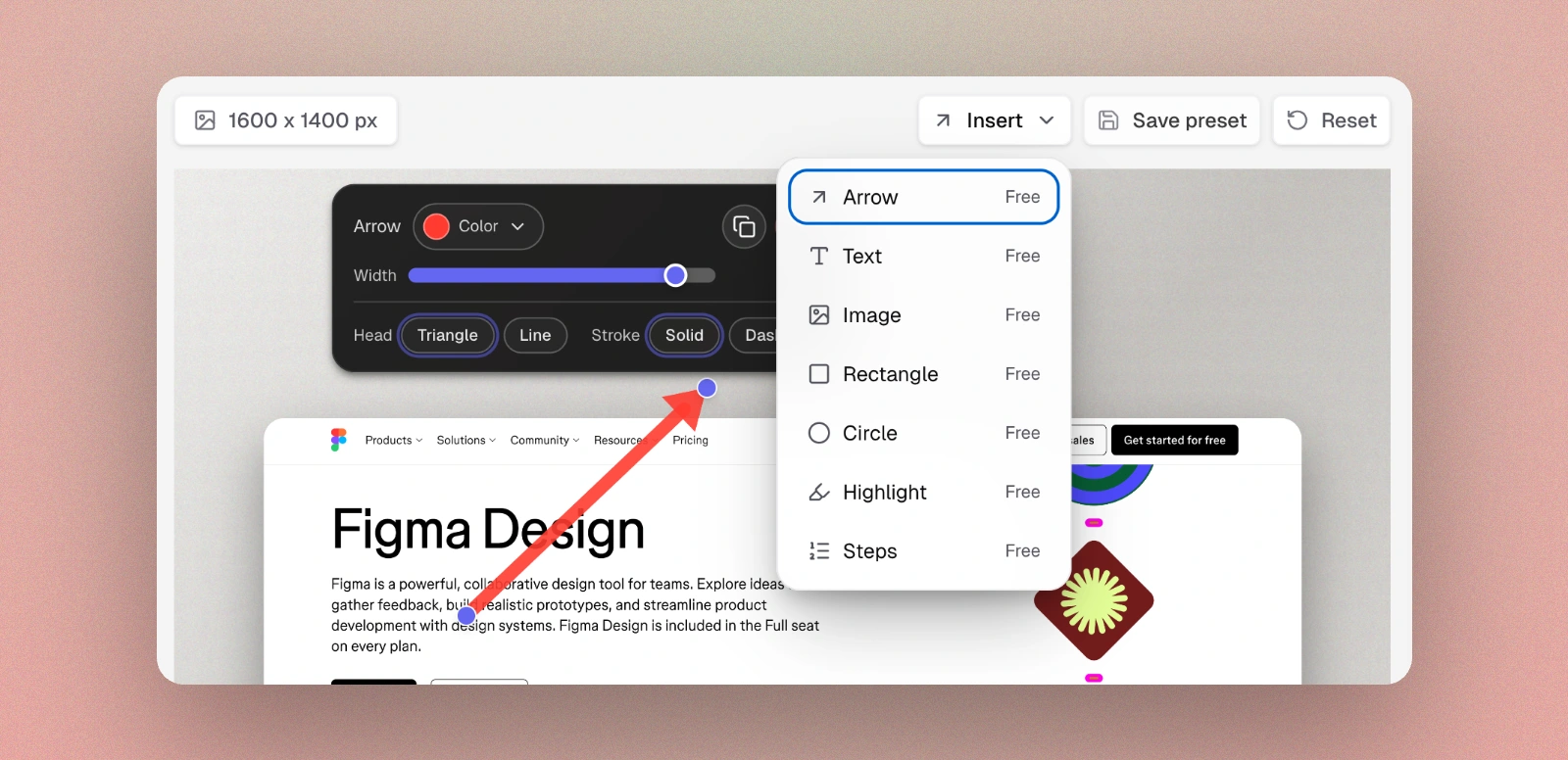
Advanced Annotations

Annotate screenshots faster and clearer with a complete annotation toolkit built for tutorials, feedback, and product communication.

Advanced Annotations Feature
  • 7 annotation types: Arrow, Rectangle, Circle, Highlight, Text, Image, and Steps.
  • Tutorial-ready steps: Drop sequential numbered badges quickly to explain flows step-by-step.
  • Image annotations: Place extra screenshots inside the canvas with fit mode and relayout controls.
  • Rich text controls: Edit content, size, opacity, font, alignment, and color with live preview.
  • Precision interactions: Move, resize, duplicate, delete, hover handles, and keyboard nudge support across annotation types.
  • Production-hardening: Stronger sanitization, consistent hit-testing, and improved overlap selection behavior.
  • Free feature: Available to all users.

Smart Re-Layout

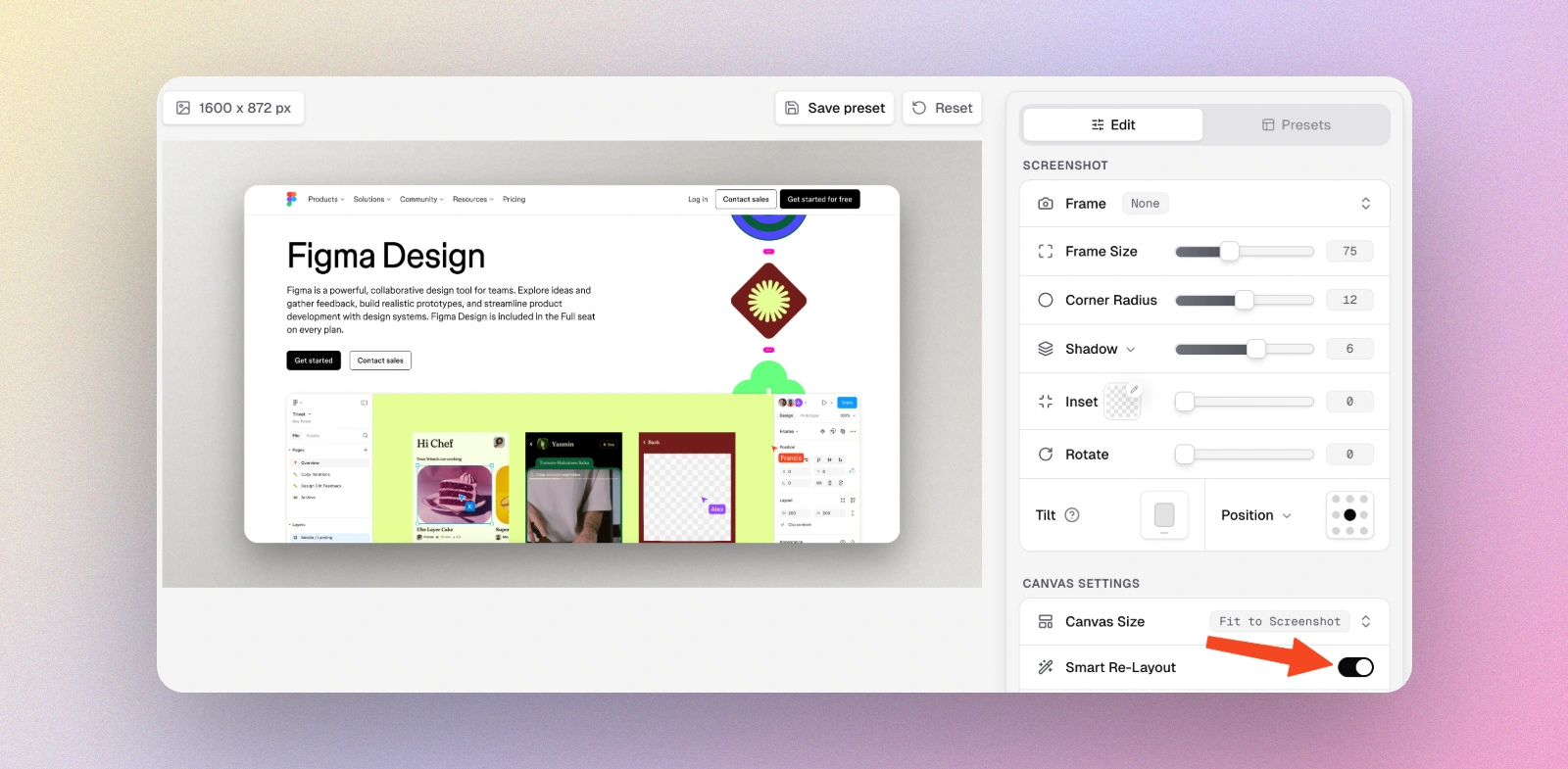
Automatically optimize your canvas size and screenshot scale to perfectly fit your image. One toggle, instant perfection — no manual adjustments needed.

Smart Re-Layout Feature
  • Automatic canvas sizing: Canvas automatically matches your screenshot's aspect ratio for a perfect fit.
  • Smart size calculation: Intelligently calculates the optimal screenshot scale (80% canvas fill) to leave room for frames and shadows while maximizing visual impact.
  • One-click toggle: Enable or disable with a single switch — your previous settings are automatically restored when you turn it off.
  • Works with any screenshot: Handles portrait, landscape, square, and ultra-wide screenshots — automatically adapts to any aspect ratio.
  • Free feature: Available to all users — no upgrade required.

Text Overlay

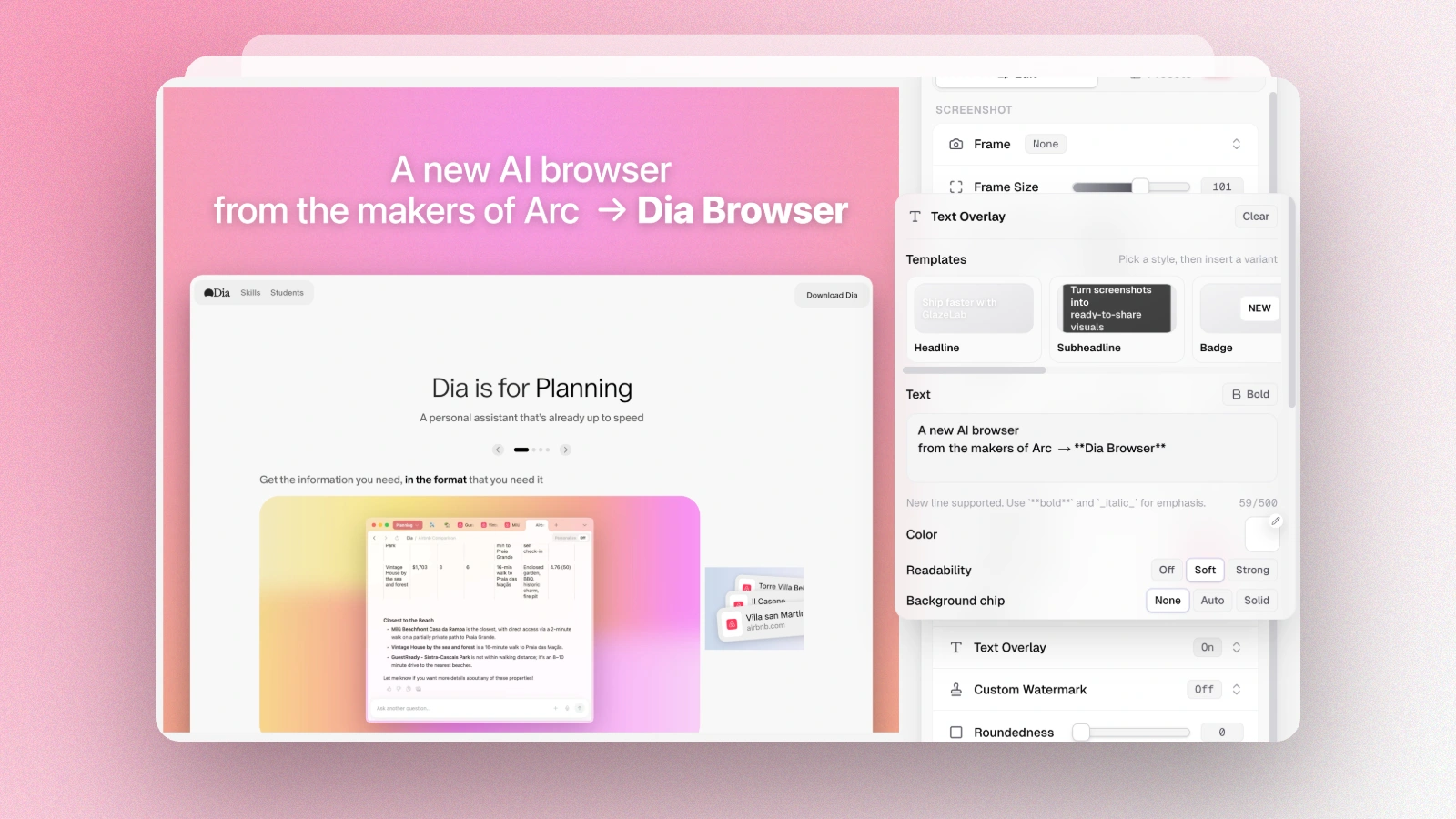
Add beautiful, customizable text overlays to your screenshots. Perfect for titles, captions, callouts, and more — with full typography control and readability features.

Text Overlay Feature
  • Ready-made templates: Start with professionally designed text styles — from bold headlines to subtle captions — with multiple variants per template.
  • 9-position grid: Place text anywhere — top, middle, bottom — with precise alignment controls.
  • Full typography control: Choose between system sans or serif fonts, adjust size (14–96px), line spacing (100–160%), and text width (40–100%).
  • Markdown support: Use **bold** syntax for emphasis directly in your text.
  • Readability effects: Add soft or strong shadows, or use background modes (solid color or blur) to ensure text stays readable over any image.
  • Advanced backgrounds: Customize background color, opacity, border radius, and padding for perfect text containers.
  • Pixel-perfect positioning: Nudge text with arrow keys or precise controls, with adjustable step sizes (1px, 4px, 8px).
  • Live preview: See changes instantly as you adjust opacity, spacing, and other properties with real-time canvas updates.
  • Pro feature: Available as part of the lifetime Pro upgrade.

New Features

Two powerful new features: auto-generate backgrounds from your screenshot colors, and add custom watermarks to brand your exports.

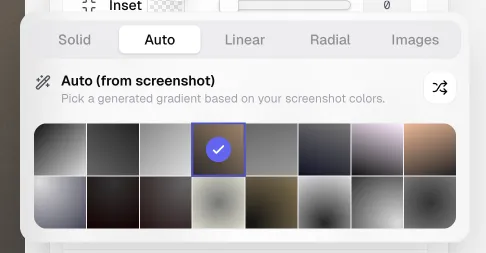
Auto Background from Screenshot

Auto Background from Screenshot Feature
  • Smart color extraction: Automatically detects dominant colors from your screenshot using intelligent quantization.
  • 16 gradient presets: Get 8 linear and 8 radial gradient variations generated instantly.
  • One-click apply: Click any preset to apply it directly — no extra steps needed.
  • Shuffle for more: Generate new variations with a single click.
  • Free feature: Available to all users, runs entirely client-side for privacy.

Custom Watermarks

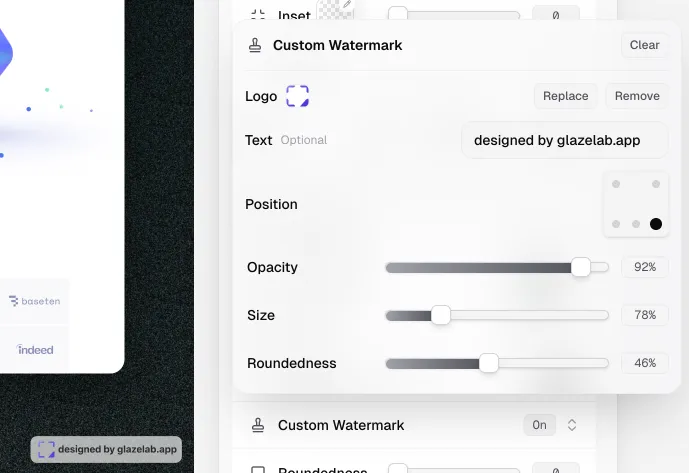
Custom Watermark Feature
  • Custom watermark upload: Add your logo (PNG, WebP, or SVG) to brand your exports.
  • Text watermarks: Add your website, tagline, or any text alongside or instead of a logo.
  • Flexible positioning: Place watermarks in any corner or bottom center with one click.
  • Full control: Adjust opacity, size, and roundedness to match your brand style.
  • Pro feature: Available as part of the lifetime Pro upgrade.

Introducing GlazeLab

Today, we're sharing the first public version of GlazeLab — the fastest way to turn your screenshots into beautiful, shareable assets.

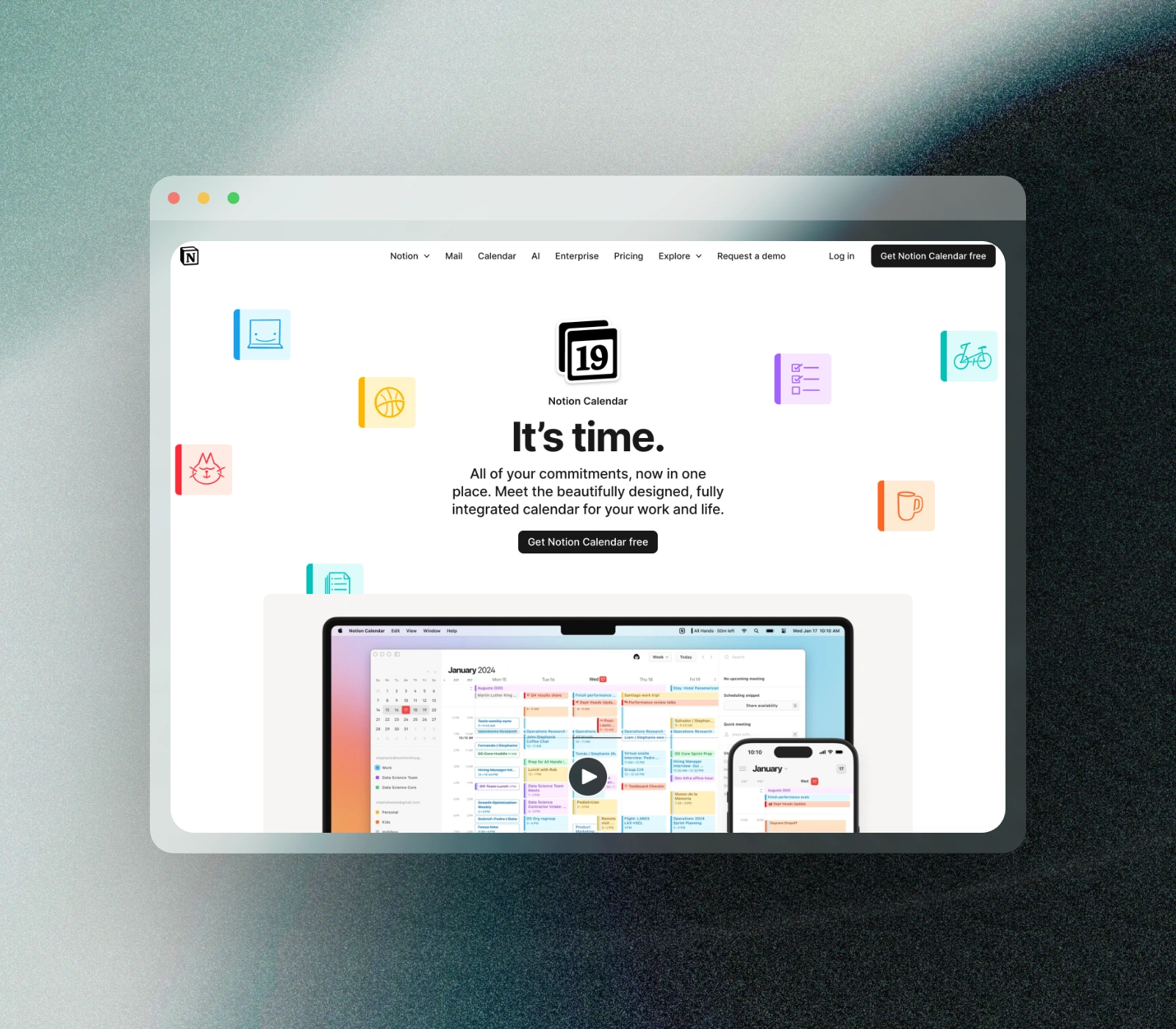
GlazeLab Editor Interface

Why we built this

Sharing code and designs used to be a pain. You'd take a screenshot, open a heavy design tool, manually add padding, rounded corners, and shadows, then export. It was slow and inconsistent.

We built GlazeLab to solve this. It's a focused tool that does one thing perfectly: makes your work look premium instantly.

No login required, no servers, privacy-first.

What's included

  • Smart Presets: Instant styles ranging from modern minimalism to soft brutalism.
  • Browser Frames: Wrap your image in beautiful Safari, Chrome, or Arc-style frames.
  • 3D Transforms: Tilt and rotate your screenshots in 3D space for depth.
  • Premium Textures: Add subtle noise and grain for a tactile, high-end feel.
  • Privacy First: Your images never leave your browser. All processing is local.
  • 4K Export: Crystal clear exports ready for social media or presentation decks.